TACTIC: Execute Command
| Requirements | Limitations | Considerations |
|---|---|---|
Endgame installed on the target host | Only one host can be targeted at a time | |
The hostname of the target host |
TACTIC: Execute Command
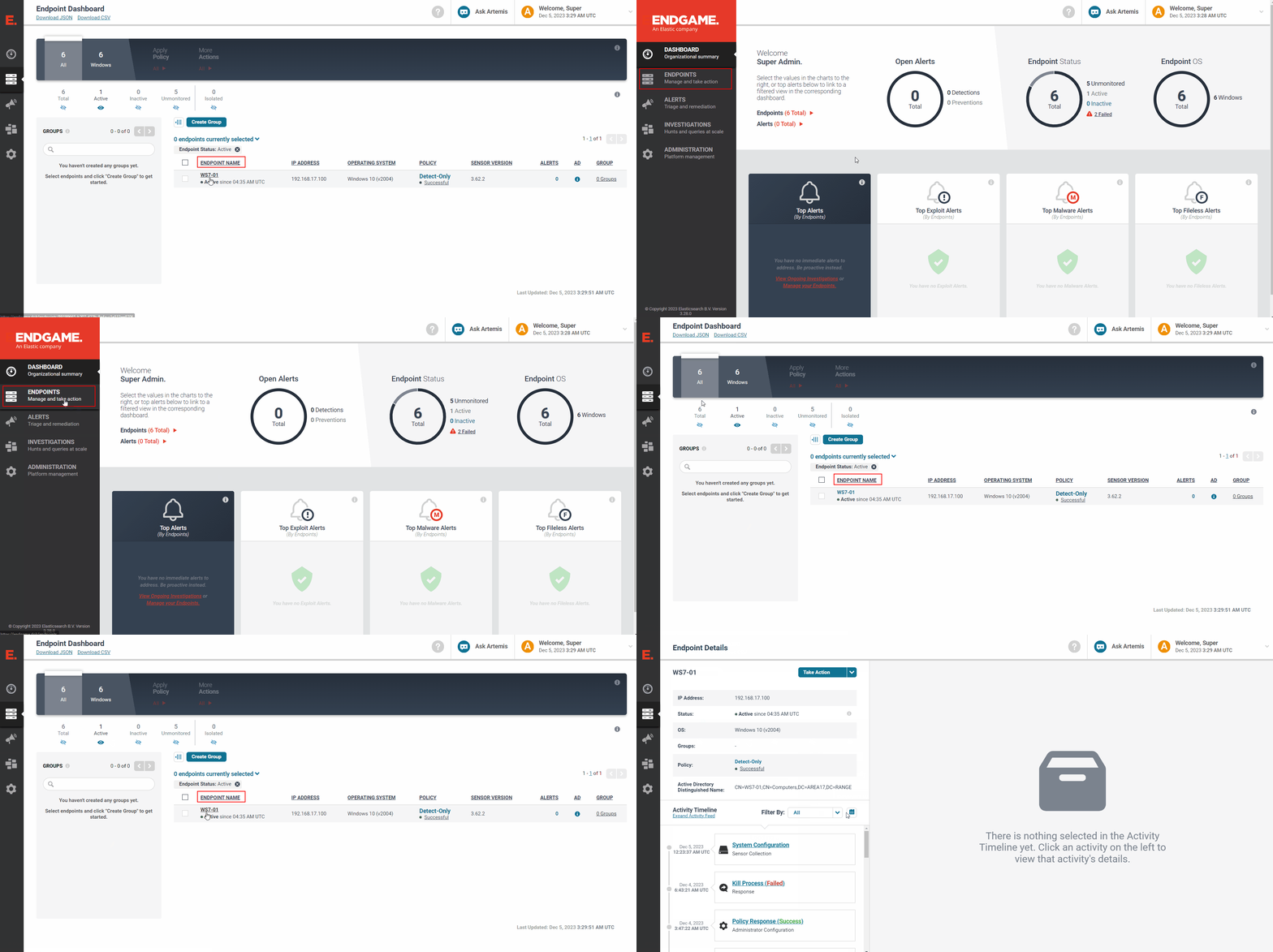
1 - Target the host
-
From the Endgame web UI, navigate to the
Endpointstab on the left-hand pane -
Find the hostname of interest and click on the respective
ENDPOINT NAMEto get to theEndpoint Detailspage
2 - Specifiy the file and arguments to execute
-
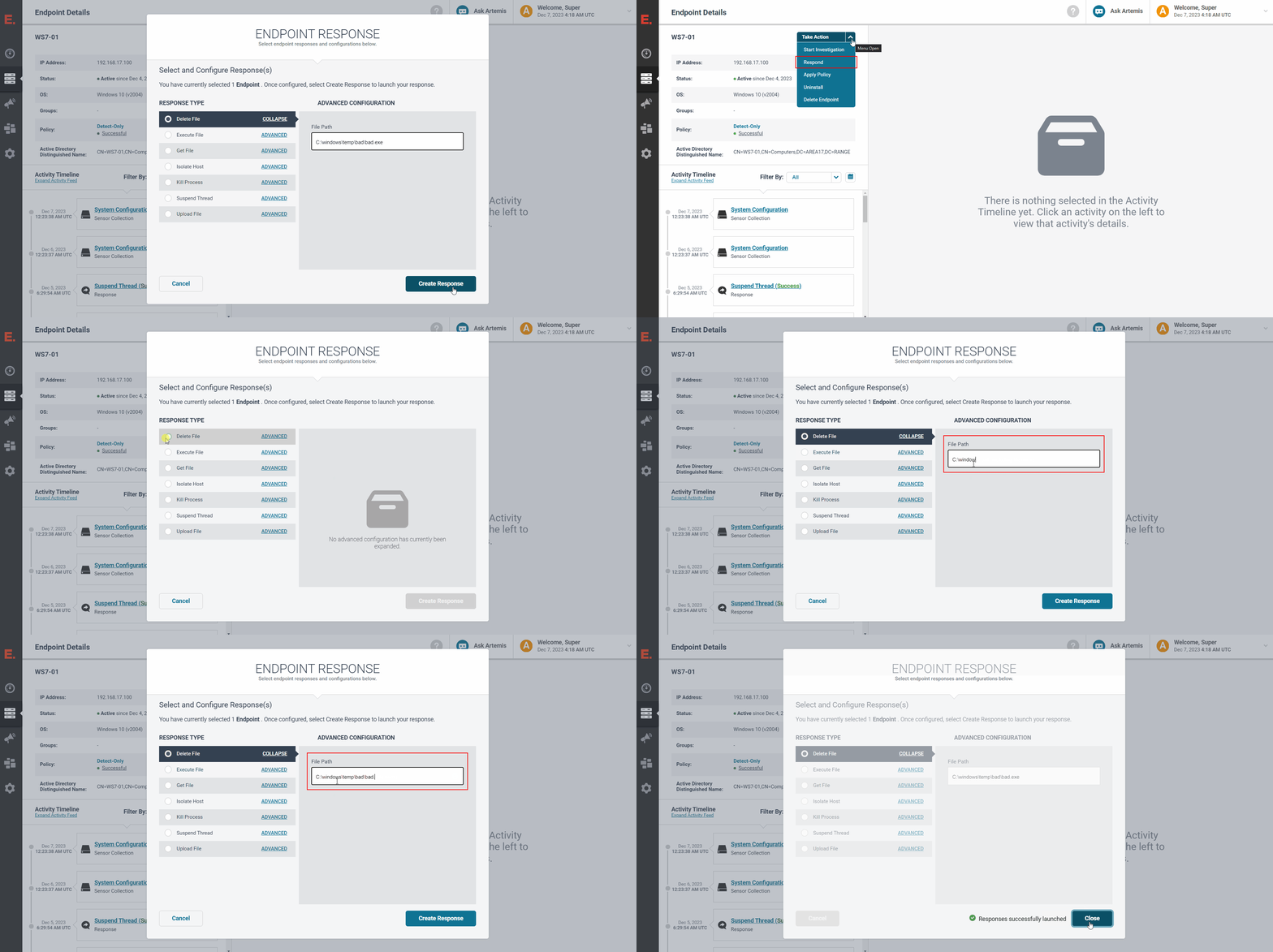
Click on
Take Action->Respond -
Click on the
Execute Fileradio button and fill the following:- File Path:
C:\Windows\System32\cmd.exeorC:\Windows\System32\WindowsPowerShell\v1.0\powershell.exe - Max Time (Seconds):
60(or more) - ☑ Collect Output
- Arguments: (The commands you want to execute)
- File Path:
-
Click on
Create Response -
Verify that the
Responses successfully launchedmessage appears and clickClose
3 - Verify the response results
-
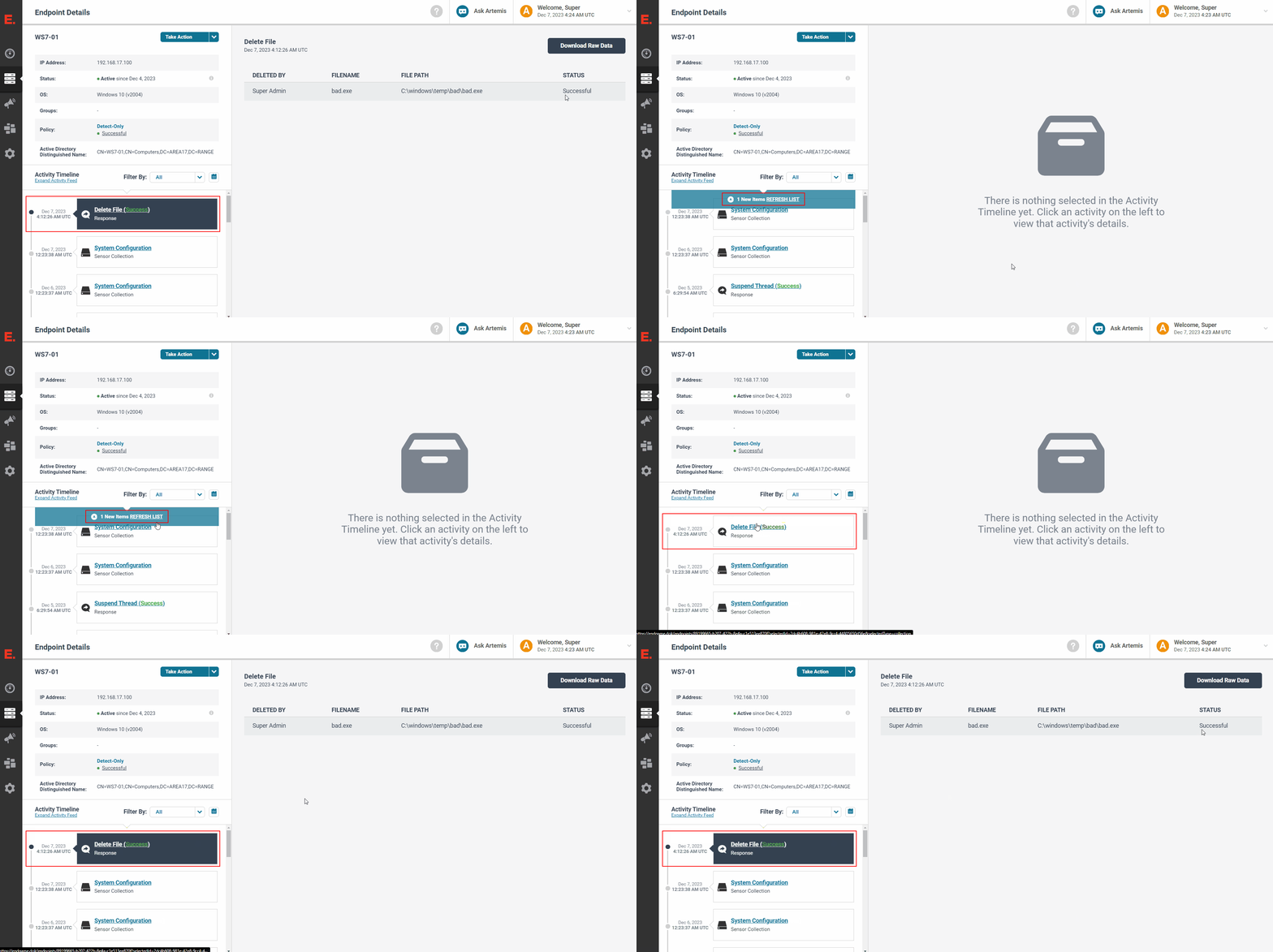
Wait for the
Activity Timelineunder theEndpoint Detailson the left-hand pane to update with aREFRESH LISTnotification -
Click on the
REFRESH LISTnotification -
Verify that the newest
Execute Fileresponse entry under theActivity TimelinesaysExecute File (Success)
NOTE: If the entry says
Execute File (, click on the entry to expand the log message to investigate why the response failedFailed)
Example Commands
TARGET: COM Object
C:\Windows\System32\cmd.exe) ArgumentsReplace <DLL_PATH> with the actual filepath to the DLL that you want to unregister:
TACTIC: Unregister DLL
/C "regsvr32 /u <DLL_PATH>"
TARGET: BITS Job
C:\Windows\System32\cmd.exe) ArgumentsReplace <JOB> with the actual job GUID or display name
TACTIC: Cancel BITS Job
/C "BITSADMIN /CANCEL <JOB>"
TARGET: Scheduled Task
C:\Windows\System32\cmd.exe) ArgumentsTARGET: Service
C:\Windows\System32\cmd.exe) ArgumentsTARGET: WMI Event Subscription
C:\Windows\System32\cmd.exe) ArgumentsReplace <FILTER_NAME> with the actual WMI Event Filter name, and <CONSUMER_NAME> with the actual WMI Event Consumer name:
TACTIC: Delete Filter+Consumer+Binding
NOTE: This command assumes that the WMI Event Consumer is of type
CommandLineEventConsumer
/C "wmic /namespace:\\root\subscription path __EventFilter where 'Name=\"<FILTER_NAME>\"' delete || wmic /namespace:\\root\subscription path CommandLineEventConsumer where 'Name=\"<CONSUMER_NAME>\"' delete || wmic /namespace:\\root\subscription path __FilterToConsumerBinding where 'Filter=\"Filter=\"\\root\\subscription:__EventFilter.Name=\\\"<FILTER_NAME>\\\"\" and Consumer=\"CommandLineEventConsumer.Name=\\\"<CONSUMER_NAME>\\\"\"' delete"